window_effects
Add the examples below to ~/.config/gnoblin/init.lua, after any gnoblin.load(...) lines. Save to apply them. Each example is a complete rule; you can combine them because later rules change only the fields they specify.
These examples affect application windows. Configure a bar or launcher's background in that application's own settings.
Rounded window corners
gnoblin.window_rule {
    match = {type = "window"},
    corners = {radius = 14, smoothing = 0.6},
}
This gives windows a 14-pixel corner radius. Sizes use logical pixels, so the rounding scales with your display. smoothing ranges from 0 (circular corners) to 1 (a squarer curve).
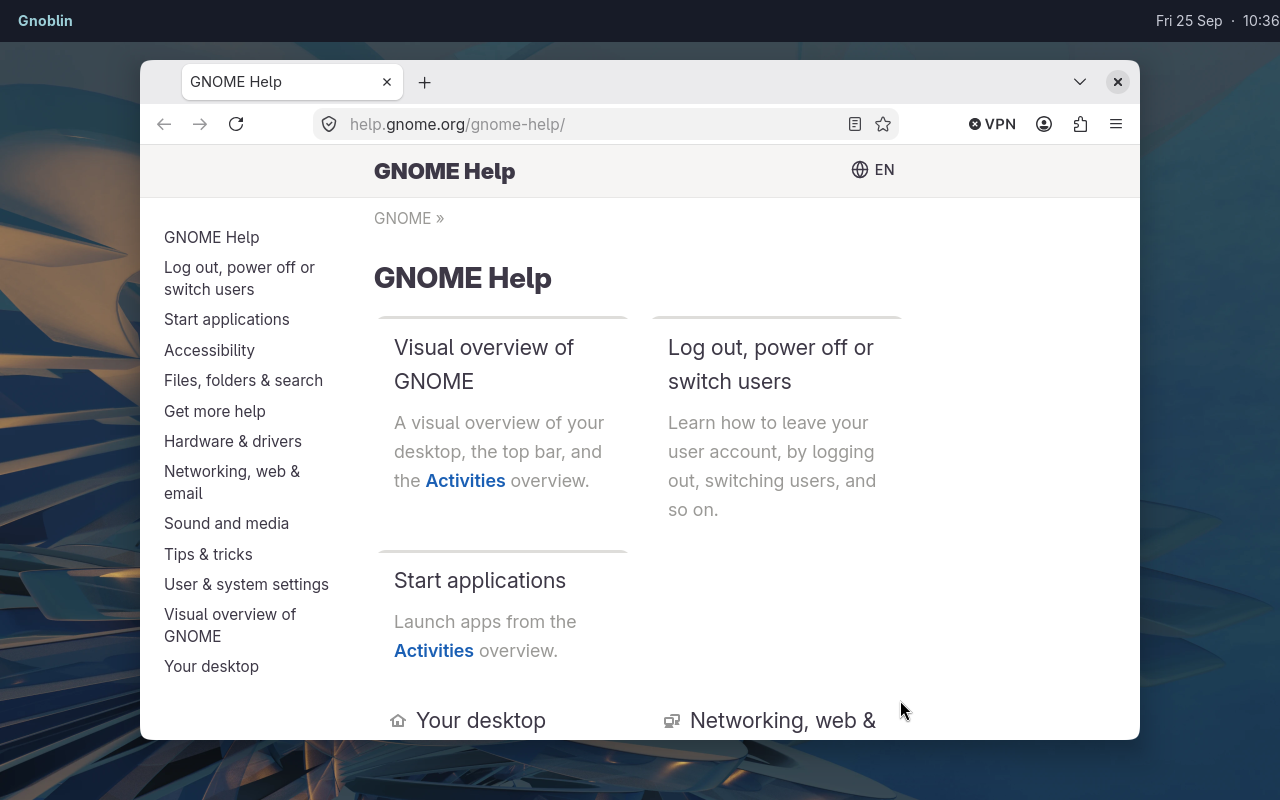
The clean capture uses a real window rule for corners and shadow.
By default, Gnoblin preserves corners an app already draws. Set mode = "force" inside corners to use Gnoblin's shape instead. Forced rounding also cuts off the app's original shadow outside that shape.
Use radius = 0 to turn rounding off. To keep maximised windows square:
gnoblin.window_rule {
    match = {type = "window"},
    corners = {radius = 14, keep_maximized = false},
}
Rounding is already disabled for fullscreen and tiled windows by default. See the corner reference for padding and exceptions for particular toolkits.
For apps that draw their own rounded corners, set remove_csd = true in the corners table of that app's rule. Gnoblin detects the rendered cutouts and samples nearby pixels to fill them before drawing its configured shape. This lets the same rule work across different corner radii and background colours.
The option has a per-window image sampling cost, so enable it only for apps whose corners conflict with Gnoblin's. It does not remove titlebars. See the remove_csd reference for the example and limitations.
Blur behind translucent windows
gnoblin.window_rule {
    match = {type = "window"},
    blur = 24,
}
Blur ranges from 0 to 100; 0 turns it off. It is visible only where the app's background is translucent. For a terminal, enable background transparency in the terminal's settings first. An opaque app will look unchanged.
To fade the entire window, including text and buttons, use opacity instead:
gnoblin.window_rule {
    match = {type = "window", focused = false},
    opacity = 0.95,
}
Here unfocused windows are 95% opaque. Keep opacity at 1 if you only want a transparent background with readable text.
If blur appears behind an app's shadow, blur_ignore_shadows = true excludes translucent black pixels. It also excludes translucent black backgrounds. Shell developers can avoid that guesswork by specifying a blur region.
Inner and outer window borders
gnoblin.window_rule {
    match = {type = "window"},
    borders = {
        inner_width = 1,
        inner_color = "#505050ff",
        outer_width = 0,
    },
}
This draws a one-pixel border inside the window's edge. Both widths accept 0–40 logical pixels and default to 0. An outer border draws beyond the edge; neither border changes the space available to the app.
Colours use #RRGGBB or #RRGGBBAA. The last two digits control transparency: ff is opaque and 00 is transparent.
Borders follow the corner radius, smoothing and padding unless you set those fields inside borders. Set keep_maximized, keep_fullscreen or keep_tiled to false there to hide the border in that state.
Shadows
This adds a broad, soft shadow and a smaller shadow close to the edge:
gnoblin.window_rule {
    match = {type = "window"},
    corners = {
        shadow = {
            {x = 0, y = 10, blur = 36, spread = 0, opacity = 0.22},
            {x = 0, y = 2, blur = 5, spread = 0, opacity = 0.28},
        },
    },
}
The shadow's x and y offsets move it right and down when positive. blur softens its edge, spread grows it, and opacity controls its darkness. Set color to choose its color.
Supply one shadow table or a list of up to four.
To make the shadow change smoothly when focus changes:
gnoblin.window_rule {
    match = {type = "window"},
    corners = {
        shadow = {x = 0, y = 8, blur = 24, opacity = 0.3},
        shadow_animation = {duration = 180, easing = "ease-out-cubic"},
    },
}

gnoblin.window_rule {
    match = {type = "window", focused = false},
    corners = {shadow = {opacity = 0.15}},
}
The second rule reduces shadow opacity while keeping the first rule's position and blur. The transition takes 180 milliseconds. Duration accepts 0–2000 ms; the default, 0, changes immediately. See easing.
A later list of shadow layers replaces the whole earlier list. A single shadow table, as above, changes only its supplied fields.
Custom fragment shaders
Custom shaders shows how to tint a window and pass shader parameters. For how Gnoblin draws these effects, see effect rendering.